Security & Permissions
Aimee uses a layered security model to keep workspace data isolated and to prevent privilege escalation between roles.
Accessible to: All workspace users (general security information). Member management and account recovery actions require Workspace Owner or Admin role.
Authentication
- Users sign in with an email or username and a password.
- Passwords are stored only as a one-way hash; they cannot be read back, even by Aimee.
- Every API request confirms the caller's identity before doing anything else.
- Usernames and emails are unique across the platform.
- Users can update their own profile (name, email, username, password) from the Profile page, reached via the avatar in the top-right.
Invitation security
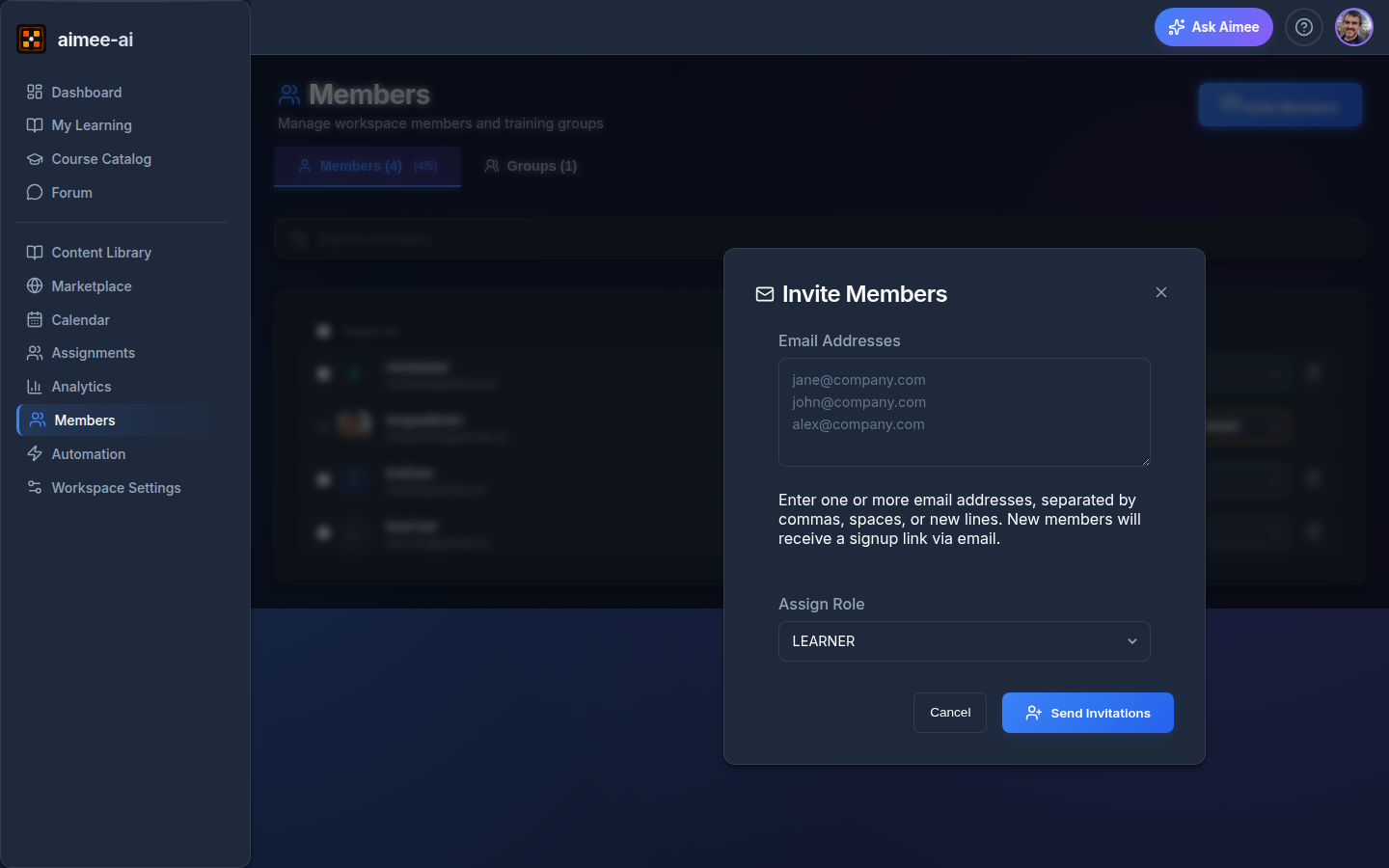
The invite-only workspace model gives you several security guarantees:
- No self-registration to workspaces - users must be invited by a Workspace Owner or Admin.
- Invite links are unique, single-use, and expire after a short window. The exact TTL is shown on the invitation email; once an invite is past that window it can no longer be redeemed.
- Email verification - invite links are tied to a specific email address; the sign-up email must match the invitation.
- Automatic expiry - expired invite links cannot be redeemed.
- Pending status - invited users appear with Pending status until they log in, so you can see who hasn't accepted.
Authorization layers
Aimee applies three checks to every privileged action:
Layer 1: Workspace membership
Every API call confirms the caller is a member of the workspace before doing anything else. People who aren't in your workspace can never see or change its data, regardless of what role they hold elsewhere.
Layer 2: Role-based access
Some actions are gated by role within the workspace - for example, only Trainers, Owners, or Admins can publish a course. Aimee checks the caller's role(s) against the required role(s) for the action.
Layer 3: Assignment ownership
Simulation-related actions enforce ownership checks:
- Only the assigned learner can launch or complete their simulation.
- Workspace owners, trainers, and reviewers cannot launch simulations on behalf of learners.
- This applies to both individual and group-originated assignments.
Role permissions matrix
| Action | Required role(s) |
|---|---|
| Update own profile | Any authenticated user |
| Create / edit courses | Trainer, Workspace Owner, Admin |
| Publish course versions | Trainer, Workspace Owner, Admin |
| Create groups | Trainer, Workspace Owner, Admin |
| Delete groups | Workspace Owner, Admin |
| Assign learners | Trainer, Workspace Owner, Admin |
| Delete assignments | Trainer, Workspace Owner, Admin |
| Invite workspace members | Workspace Owner, Admin |
| Remove workspace members | Workspace Owner, Admin |
| Assign roles (excluding Admin) | Workspace Owner, Admin |
| Assign Admin role | Admin only |
| Review / override scores | Reviewer, Workspace Owner, Admin |
| Launch / complete simulations | Assigned learner only |
| Open My Learning | All roles (sees own assignments) |
Privilege escalation protection
Admin role restriction
Workspace Owners cannot assign the Admin role
The Admin option is hidden from the role dropdown for Workspace Owners, and the request is refused server-side as well. This prevents a Workspace Owner from granting themselves or others elevated administrative privileges.
Assignment authorization
Only the assigned learner can launch or complete a simulation
Launch and Resume buttons are hidden for everyone other than the assigned learner. If anyone else tries to launch or complete a session through the API, the request is refused.
Duplicate assignment prevention
Aimee blocks assigning the same course to a learner who already has an active assignment:
- Individual assignment: the request is refused with a clear message if the learner already has an active assignment for that course.
- Group assignment: members who already have the assignment are skipped; only new members receive it.
Group deletion protection
Groups with active assignments (status: assigned or in progress) cannot be deleted. This prevents accidental data loss when training is in progress.
Recovering a locked-out account
If a user has lost access to their account - they've forgotten their password and lost their email, lost their device, or left the organisation without a handover - there are two recovery routes.
Forgot password (self-service)
If the user can still receive email, the Forgot password link on the login page sends a reset link directly to them. No administrator involvement is required. This is the right tool for routine "I forgot my password" cases.
Operator-assisted reset
For genuine lockouts where the self-service flow isn't an option, an Aimee.ai support administrator can issue a single-use temporary password for the affected user. When that happens:
- The user's other active sessions are signed out immediately.
- The next time they log in with the temporary password, they're taken straight to a Set a new password screen and cannot use the rest of the app until they pick a new password.
- A line is added to your Workspace Settings → Audit Trail noting that the reset took place, who triggered it, and which user was affected. The temporary password itself is never recorded in the audit trail or anywhere else.
Recovery, not routine support
Operator-assisted reset is for recovery, not for cases where the Forgot password flow would work. Contact Aimee.ai support only when the self-service flow is genuinely unavailable.
Data isolation
- All data is workspace-scoped - users can only access data within workspaces they are a member of.
- Deleting a workspace is a cascading operation that removes all of its courses, assignments, sessions, and members.
- Deleting an assignment cascades to remove its associated sessions.
Best practices
Principle of least privilege
Assign users the minimum role they need:
- Content creators → Trainer
- Quality checkers → Reviewer
- Trainees → Learner
- Team managers → Workspace Owner
Regular access reviews
Periodically review workspace membership from the Members page in the sidebar to remove users who no longer need access.
Related
- Roles Overview - role comparison matrix
- Workspace Settings - workspace configuration