Ask Aimee
Accessible to: Workspace Owner, Trainer
An Ask Aimee button sits in the top-right of every workspace page (just left of the Help and avatar icons, and everywhere except the course player). Click it to open a side panel where you can ask "where do I do X?" and get pointed straight at the right screen.
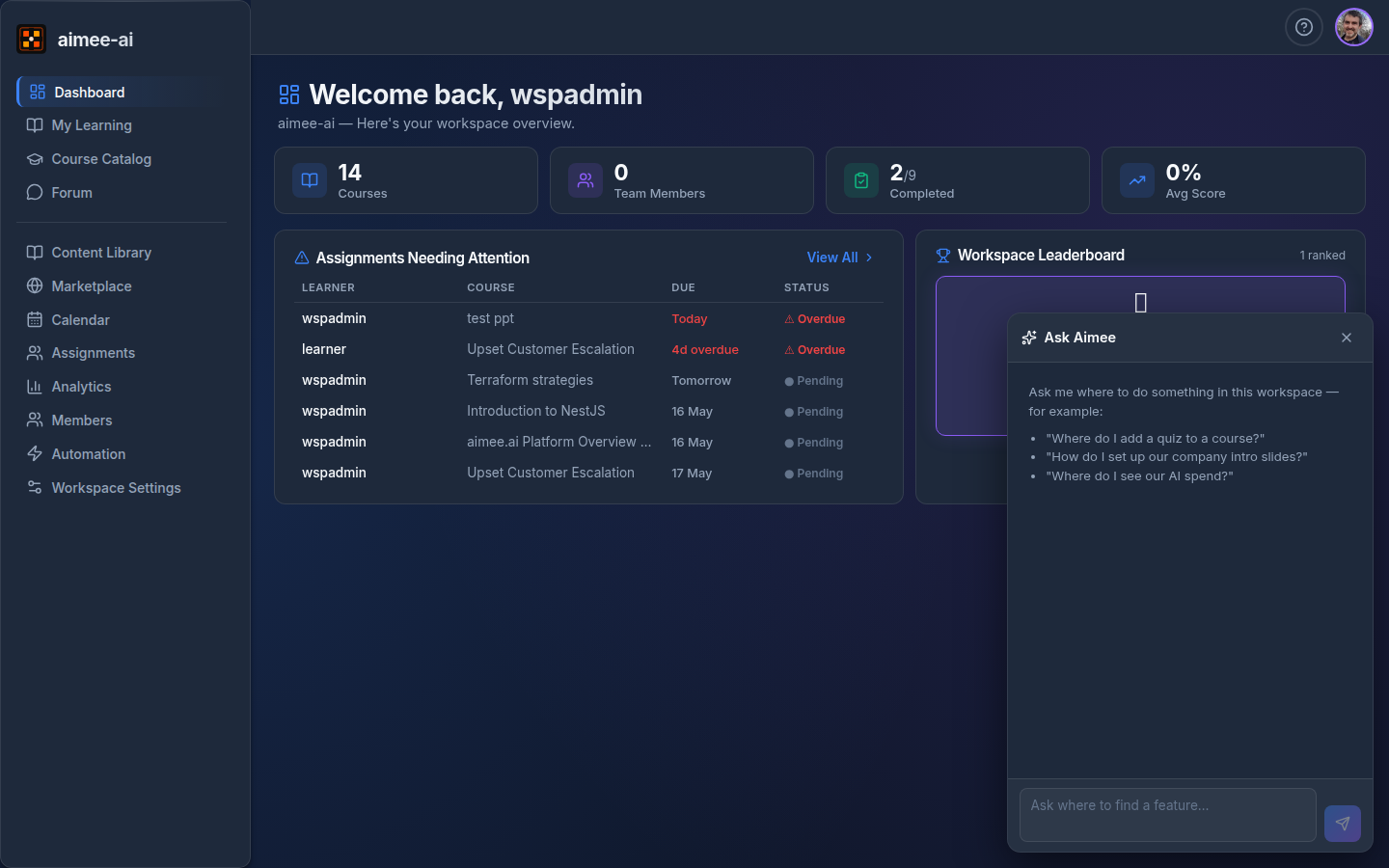
What it's for
Aimee is a navigation helper, not an action assistant. She doesn't generate courses, assign learners, or change anything - her job is to read your question and either:
- give a one or two sentence answer, plus
- show 0-3 buttons that take you to the screen where you can do what you asked.
Use her for questions like:
- "Where do I add a quiz to a course?"
- "How do I set up our company intro slides?"
- "Where do I see our AI spend?"
- "How do I lease a course from another workspace?"
If she doesn't know, she'll say so plainly rather than guess.
Answers from your knowledge base
If your workspace has the Knowledge Base turned on, Aimee also looks through your own documents before she answers. So as well as "where do I do X?", you can ask her about what is actually in your company material:
- "What is our refund window?"
- "How many days notice do we need for annual leave?"
- "What does our incident procedure say about escalation?"
When she finds an answer in your documents, the reply shows a small From your knowledge base note underneath listing which documents it came from, and the page or section where it appeared. That way you can go and check the original.
A few things worth knowing:
- She only reads documents that are already in your knowledge base and finished processing. See Knowledge for how to add them.
- If your documents don't cover the question, she'll say so and fall back to pointing you at the right screen, rather than guessing an answer.
- The documents listed underneath are always real documents from your workspace - they're picked out before the answer is written, so she can't invent a source.
- If your workspace doesn't use the Knowledge Base, Aimee behaves exactly as she always has, as a navigation helper only.
How it works
- Click Ask Aimee to open the panel. It stays open as you move around the workspace; close it any time with the × button.
- Type a question and press Enter.
- The reply appears with any suggested next steps as clickable buttons. Clicking a button takes you to that screen and closes the panel so you can focus.
- Use Clear to reset the conversation.
The conversation is in-memory only - it disappears when you log out, switch workspace, or refresh the page. Nothing is saved.
What it can't do
- It will not perform any action for you. If you ask "delete this course" or "assign this to my team", it will refuse politely and point you at the screen where you can do it yourself.
- It does not see the page you're currently on. You may need to mention which course or screen you're asking about.
- It is only available to Workspace Owners and Trainers. Learners and reviewers do not see the button.
Cost
Each question is a small AI call billed against your workspace, with usage shown in the AI Cost section of Analytics (Workspace Owners only). Replies are short by design to keep cost low.