Forum
The Forum is your workspace's shared space for questions and discussion. Anyone in the workspace can ask a question, anyone can reply, and useful answers float to the top.
Accessible to: every workspace user - learners, trainers, admins, and workspace owners.
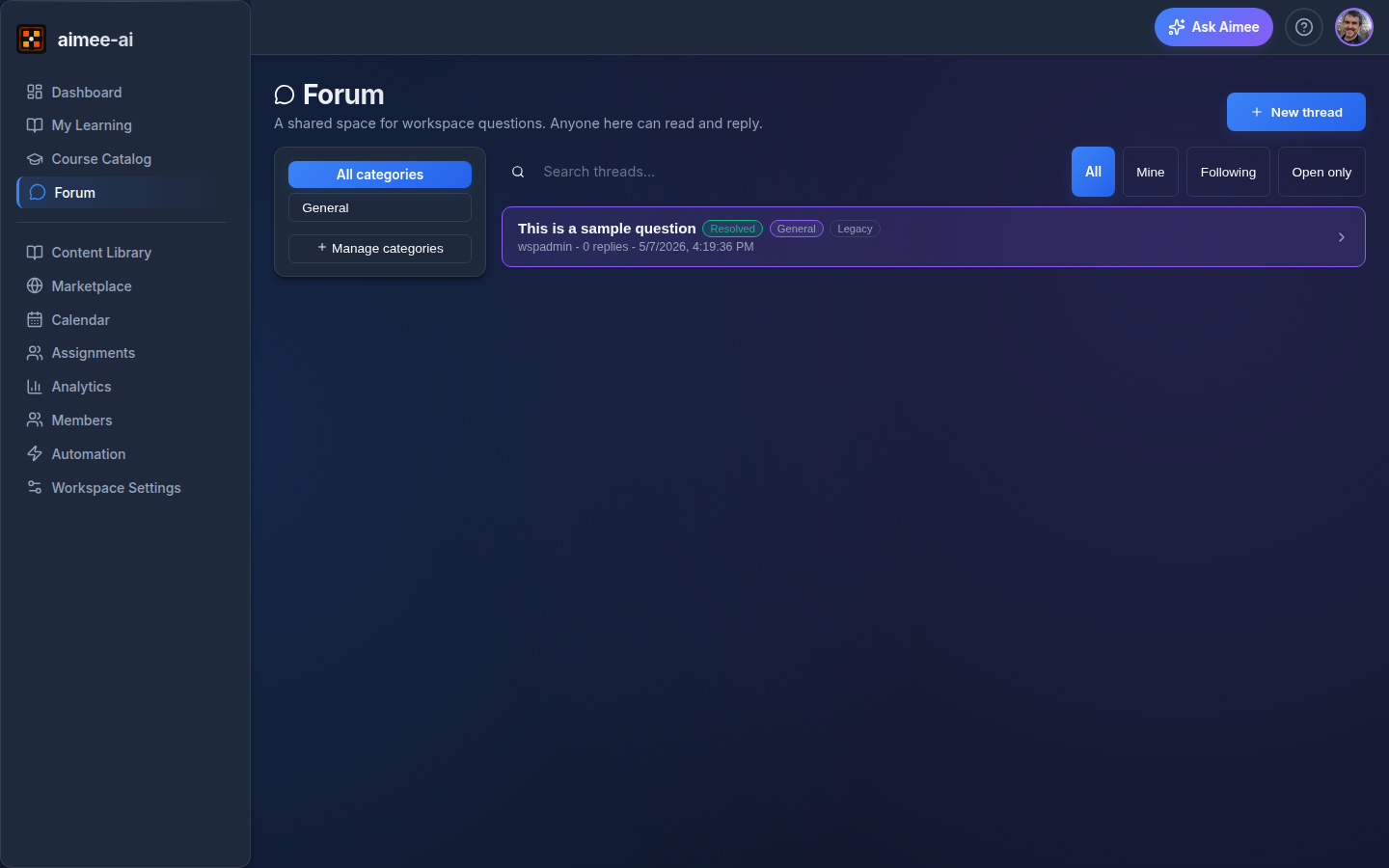
What it is
A category-organised, tag-able thread board with full-text search, per-post upvotes, accepted-answer marking, opt-in follow notifications, and owner moderation.
Each thread is one question. Posts on a thread are markdown-rendered and can be edited or deleted by their author. Owners can pin, lock, or hide a thread when they need to.
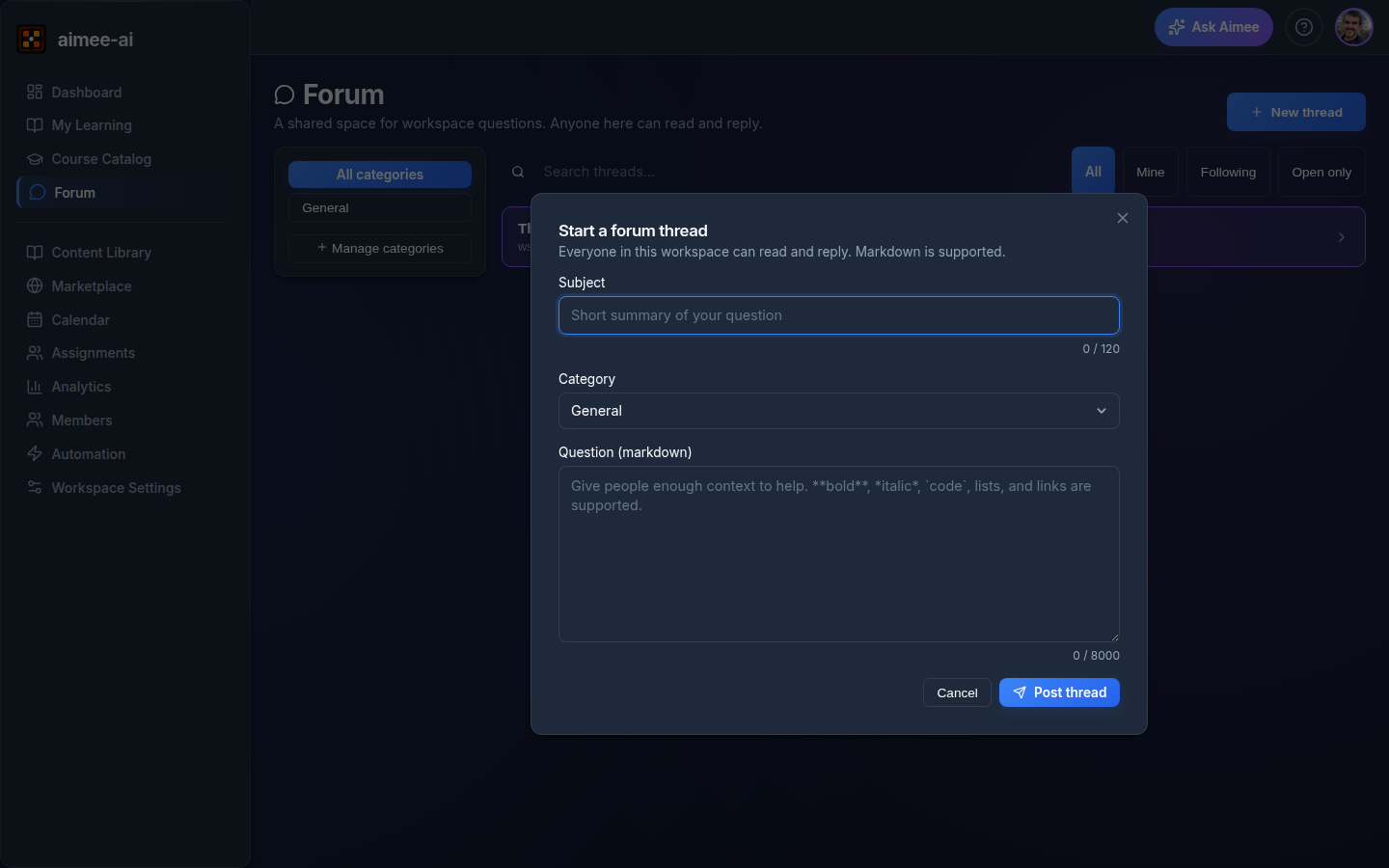
Starting a thread
There are two ways in:
- Sidebar -> Forum -> New thread. The general entry point.
- Course Catalog -> a course -> "Ask about this course". Opens the same form with the course attached as context.
Every thread needs:
| Field | What goes here | Limit |
|---|---|---|
| Subject | A short headline for the question | 120 characters |
| Category | Pick one of the workspace's categories ("General" is the default) | required |
| Tags | Pick zero or more from the workspace tag list | optional |
| Body | Markdown - bold, italic, lists, inline code, code blocks, links |
8,000 characters |
Press Post thread and you'll land on the new thread.
Reading, replying, and reactions
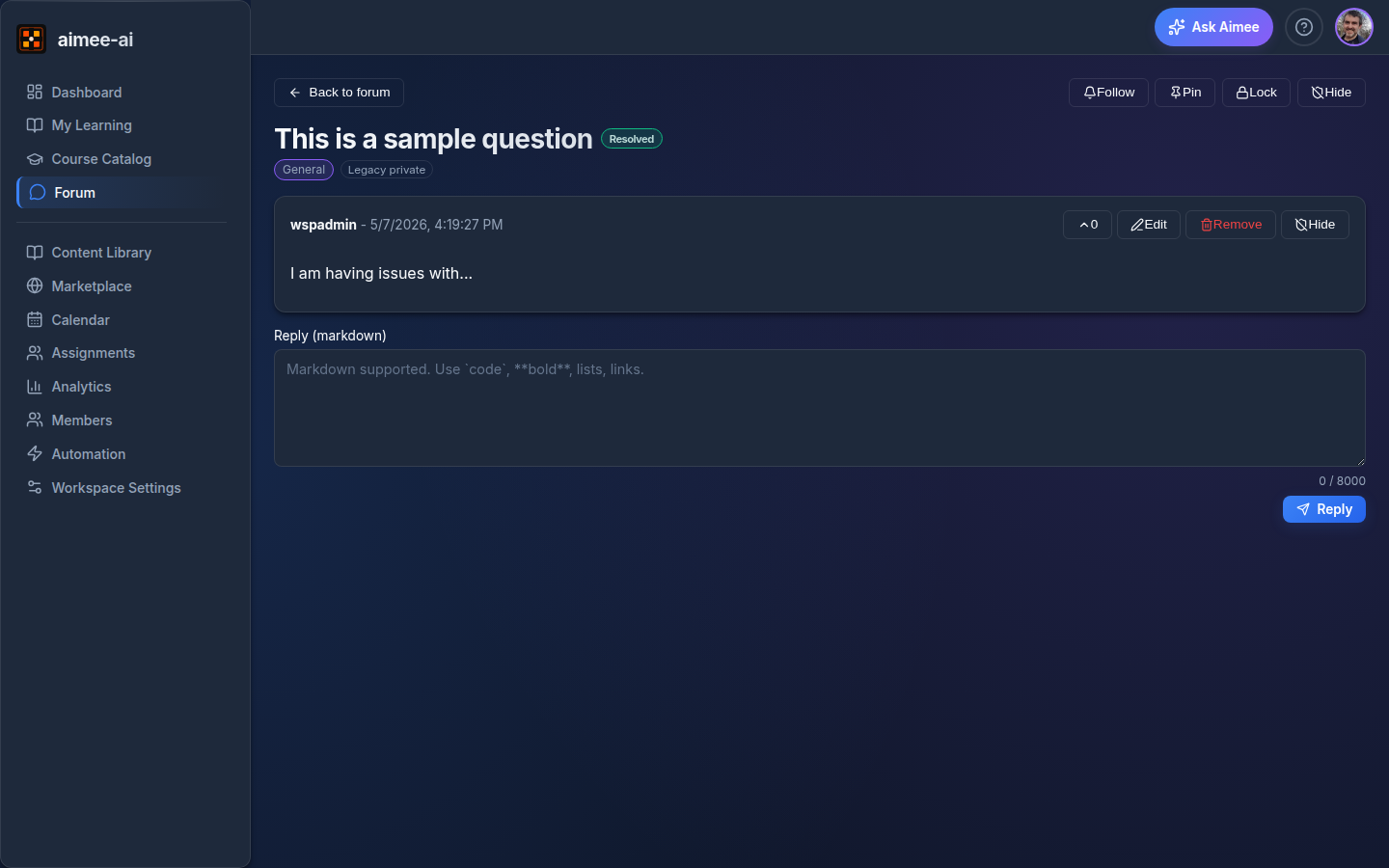
On a thread you can:
- Reply in markdown. Locked threads are reply-only for owners.
- Upvote any reply - useful answers float visibly.
- Edit or delete your own replies. The first post on a thread cannot be deleted (edit it instead, or ask an owner to hide the whole thread).
- Follow a thread to get in-app notifications when there's a new reply.
- Mention someone by typing
@theirnamein your post body. The mentioned member sees it in the notification bell in their top bar - see Your Notifications.
When the question is answered, either the author or any owner can:
- Mark resolved - sets the thread status.
- Accept an answer - marks one specific reply as the accepted answer. Independent of the resolved flag (you can have one without the other).
Finding things
The list page has a few knobs:
- Categories in the left rail filter the stream.
- Search box runs across thread subjects, tag names, and post bodies (workspace-scoped - your search never leaves your workspace).
- Tag chips under the search box filter by tag.
- Scope chips - "All" / "Mine" / "Following".
- Open only filter for unresolved threads.
Pinned threads always sit at the top of their category.
Privacy
Threads are workspace-scoped. Members of one workspace cannot read threads in another.
If your workspace existed before the forum launched, any threads you raised under the older "Questions" feature stay visible only to the author and workspace owners (they carry a small Legacy private badge). New threads you start now are visible to everyone in the workspace.
Per-course forum (optional rollout)
If your workspace owner has turned on Per-course forum gating in Workspace Settings, threads attached to a specific course are visible only to:
- learners assigned to that course (directly or via a group, in any state - assigned, in progress, completed, or abandoned);
- workspace owners, admins, and trainers.
Reviewers and unassigned workspace members do not see course-scoped threads. Course creators can also turn the forum off for an individual course in the course editor's Settings tab; existing threads stay in the database and become reachable again if the course owner re-enables it. Existing course-attached threads from before this rollout keep their workspace-wide visibility for continuity.
Learners taking the course see a Forum button in the in-session top bar that opens a side panel showing only that course's threads and a quick Ask a question affordance.
Categories and tags (workspace owner)
Workspace owners manage the available categories and tag allowlist under Workspace Settings -> Forum:
- Categories organise threads. Every thread belongs to exactly one category. A category cannot be deleted while threads still belong to it - reassign them first.
- Tags are an owner-curated allowlist. Authors pick from the list when starting a thread; they cannot invent new tags inline.
Moderation (workspace owner)
Workspace owners can:
- Pin a thread to the top of its category.
- Lock a thread - existing content stays readable, no new replies (owners can still reply).
- Hide a thread or an individual post - removes it from view for non-owners. The hidden item is preserved as a record.
What it does not do (yet)
- No email notifications. Followers see new replies in-app only.
- No attachments or images. Posts are markdown text. Link to a file instead.
- Course-scoped forums are opt-in. Workspace owners enable them in Workspace Settings → Features using the Per-course forum gating switch; once on, course creators toggle the forum on or off per course in the course editor's Settings tab (default on).
- No reopen-resolved. Once resolved, the status stays. Open a new thread if the question comes back.
Limits
| Setting | Value |
|---|---|
| Subject length | 120 characters |
| Post body length | 8,000 characters per post (markdown source) |
| Posts per thread | Unlimited |
| Page size on the list view | 50 most-recently-updated threads |
| Search | Full-text search, workspace-scoped |